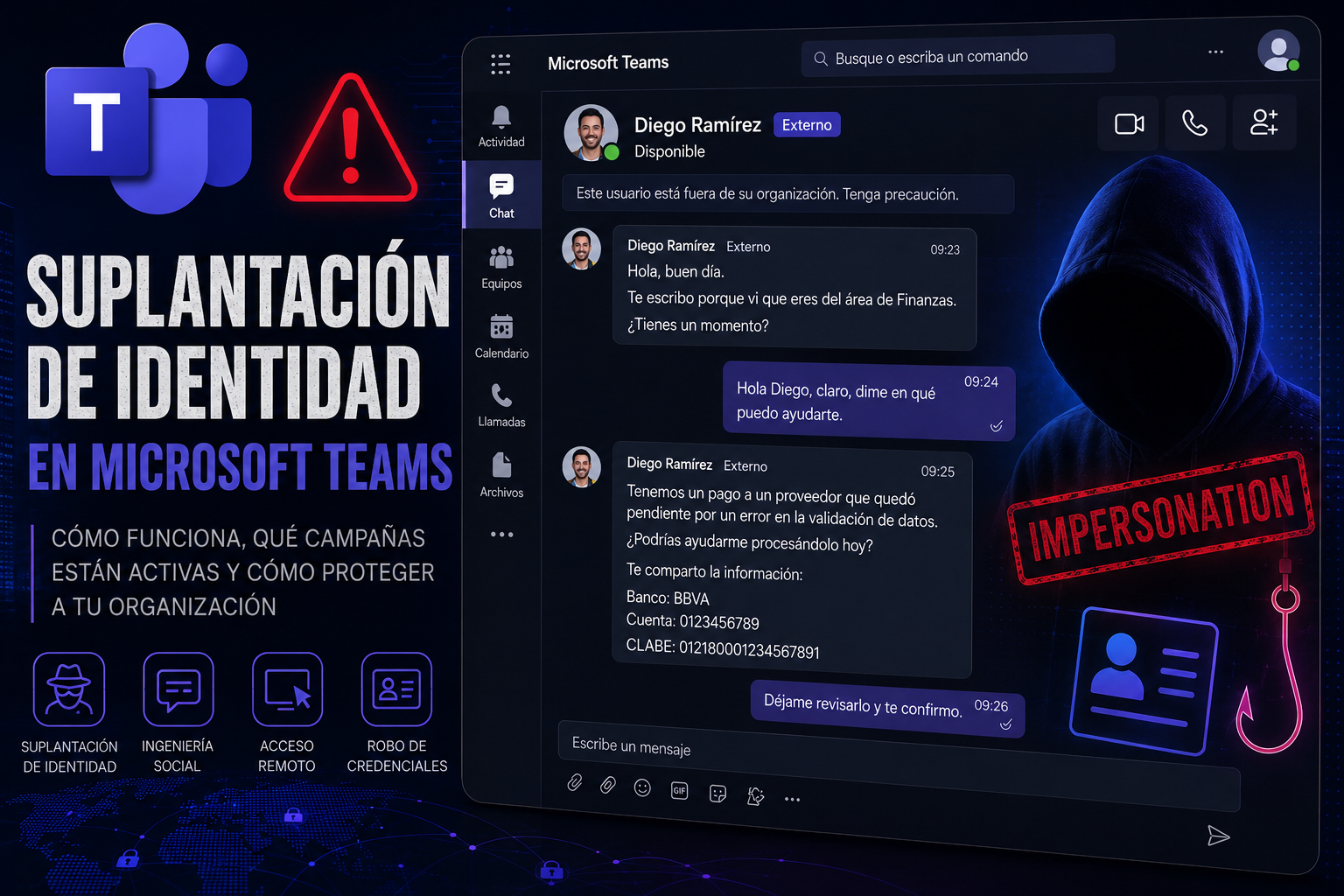
For years, email was the primary channel used by cybercriminals to execute phishing campaigns. However, the increase in hybrid work and the massive adoption of collaboration platforms such as Microsoft Teams have caused a significant shift in attackers’ tactics. Currently, Teams has become one of the fastest-growing attack vectors for social engineering and identity impersonation campaigns.
Various researchers and Microsoft itself have warned about an increase in attacks where malicious actors pose as IT staff, executives, vendors, or external collaborators to trick users and gain access to corporate systems, credentials, or sensitive information.
Why has Teams become an attractive target?
Attackers exploit a legitimate Teams feature: the ability to communicate with users outside the organization. This functionality, designed to facilitate business collaboration, allows external actors to initiate conversations with internal employees, opening the door to identity impersonation attacks.
Unlike email, users tend to perceive Teams messages as more trustworthy and immediate, lowering their level of suspicion. In addition, the informal and fast-paced nature of the platform encourages impulsive responses to seemingly legitimate requests.
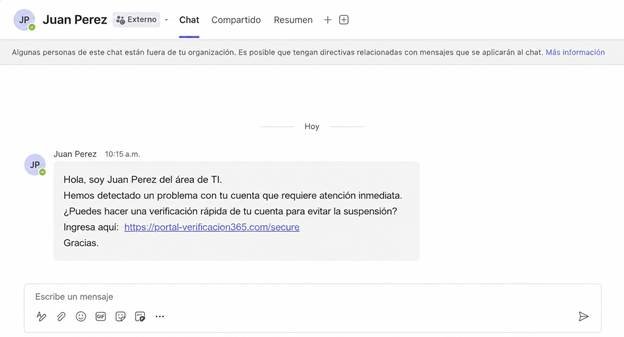
Example of a malicious message.
How impersonation attacks work on Teams
The most common technique observed recently involves the attacker creating an external Microsoft 365 account and configuring the display name to match that of a legitimate employee, an executive, or a member of the technical support area. They then initiate a conversation with the victim using Teams.
Among the most frequent scenarios are:
- Impersonation of IT or Help Desk staff.
- Impersonation of executives or managers.
- Urgent requests to review security issues.
- Requests to install tools or software.
- Requests to share credentials or authentication codes.
- Sending malicious links or attachments.
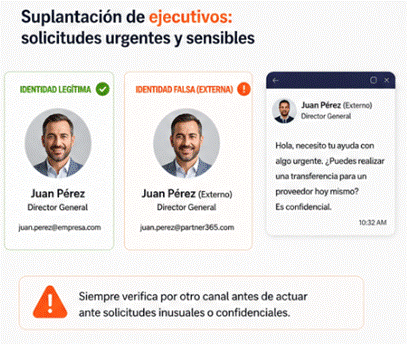
Executive impersonation
In more sophisticated campaigns, attackers convince the victim to start remote assistance sessions using legitimate tools such as Windows Quick Assist. Once remote access is obtained, they deploy malware, steal credentials, or perform lateral movements within the corporate network using legitimate administrative tools, making detection extremely difficult.
Recent evolution of threats
Microsoft has documented real incidents where attackers used Teams voice calls and messages to pose as technical support staff. In some cases, after several failed attempts, they managed to convince a user to grant remote access to their computer, allowing the initial compromise of the organization.
At the same time, researchers have detected a significant growth in multichannel phishing campaigns, where attackers combine emails, calendar invitations, and Teams messages to increase the credibility of their scams. Between October 2025 and March 2026, Teams-based attacks grew by approximately 41%, becoming a relevant trend within the current threat landscape.
Additionally, attacks have been observed that use legitimate Microsoft authentication mechanisms, such as Device Code Authentication, to steal access tokens and compromise Microsoft 365 accounts, including Outlook, Teams, and OneDrive, even in environments protected with multifactor authentication (MFA).
Indicators of compromise and warning signs
Organizations should pay special attention to the following indicators:
- Unexpected messages from external users.
- Conversations coming from accounts marked as “(External)”.
- Urgent requests to act immediately.
- Unsolicited remote access requests.
- Requests to share credentials or MFA codes.
- Links or files sent outside of standard procedures.
- Contacts claiming to belong to the technical support area without prior validation.
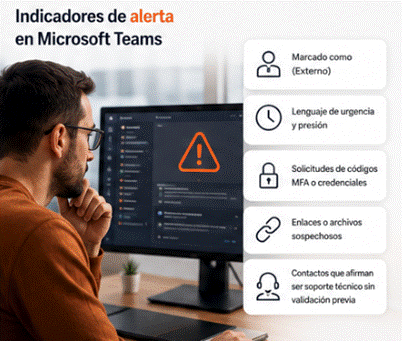
Warning indicators in Teams
Mitigation recommendations
Organizations can significantly reduce risk through a combination of technical controls and training:
- Regularly train users on phishing in collaboration platforms.
- Always verify sensitive requests through a known alternative channel.
- Restrict or monitor external communications in Teams.
- Implement conditional access policies and session monitoring.
- Monitor the use of remote assistance tools such as Quick Assist.
- Periodically review external collaboration permissions.
- Configure alerts for suspicious authentication or remote access activity.
- Apply least privilege principles for user accounts.
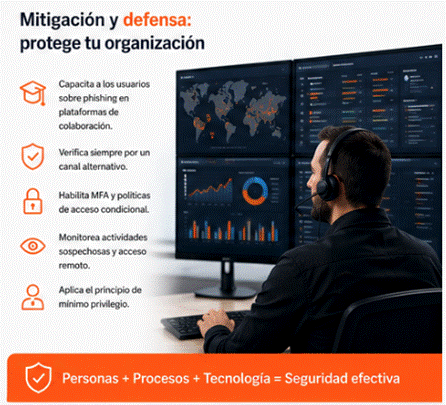
Recommendations
Microsoft has also begun rolling out new protection features against brand and organization impersonation in Teams, aimed at warning users when it detects possible fraud attempts in calls coming from external contacts.
Conclusion
Cybercriminals are progressively shifting their social engineering campaigns from email to enterprise collaboration platforms such as Microsoft Teams. The combination of trust, immediacy, and external collaboration has turned Teams into an attractive target for identity impersonation, so organizations must adapt their awareness and monitoring strategies to face this new generation of attacks.
Additional information:
- https://www.ramsac.com/blog/microsoft-teams-phishing-attacks-explained-how-to-spot-and-stop-impersonation-scams
- https://www.microsoft.com/en-us/security/blog/2026/03/16/help-on-the-line-how-a-microsoft-teams-support-call-led-to-compromise
- https://www.bleepingcomputer.com/news/security/microsoft-teams-increasingly-abused-in-helpdesk-impersonation-attacks
- https://www.techradar.com/pro/security/microsoft-issues-warning-over-teams-helpdesk-impersonation-attacks-hackers-are-blending-into-routine-it-support-activity-by-abusing-remote-assistance-access